We just rolled out a new feature that some of you have been asking for:
Multiple input modes!
Up until now, when you went to generate a note, treatment plan, or any documentation, you picked one way to provide your session summary. You either recorded an audio summary or typed one out. One or the other. (And yes, just a summary -- we don't record therapy sessions here!)
But some therapists wanted to be able to do both.
Maybe you want to record a quick audio summary to get the big picture down, but then also type out a few specific details -- a medication name, an assessment score, something you don't want to forget or risk mispronouncing. Or maybe you prefer typing most of it out, but want to quickly record a few thoughts at the end.
Now you can!
When you go to generate documentation, you'll see two input modes -- Audio and Text. You can use one or both. Toggle them on or off, and Quill will combine everything together when generating your documentation.
Here's a little demonstration:
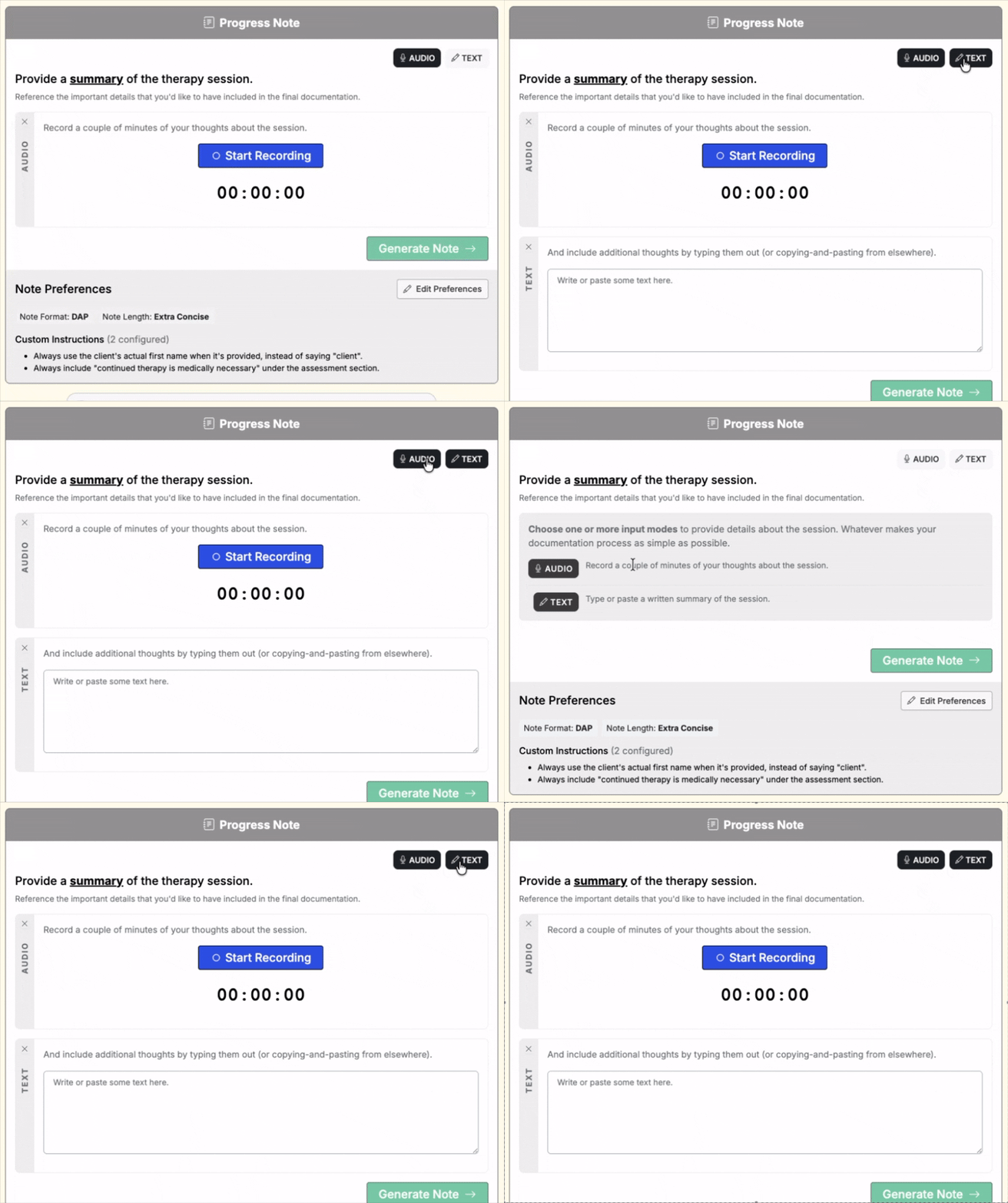
This works everywhere -- whether you're writing therapy notes, documenting treatment plans, or using a custom documentation template. Your preferences are saved, so next time you generate a note, the same modes you used last time will already be selected.
We're really excited about this update -- not just because of what it does today, but because of what it sets us up for. We're currently testing some big features behind the scenes that build on this foundation, and we can't wait to share more.
If you'd like to get early access to those upcoming features, send us an email at jon@quilltherapysolutions.com. We'd love to hear what you think!
As always -- feedback, thoughts, ideas? Let us know. We're just an email away.
