

Most therapy documentation contains the same kinds of details over and over again. So we built something new in Quill to make that part dramatically faster.
Introducing... Documentation Worksheets.
Click a few answers, and boom, a huge chunk of your note is already done. No need to type or recite the repetitive stuff in every post-session summary.
- Length of the session?
- Where it took place?
- Interventions used?
- Overall client progress?
- Next steps?
A lot of documentation data points tend to have a relatively small set of common possibilities -- especially when you zoom in to a specific therapist with their own workflow, modalities, and documentation style.
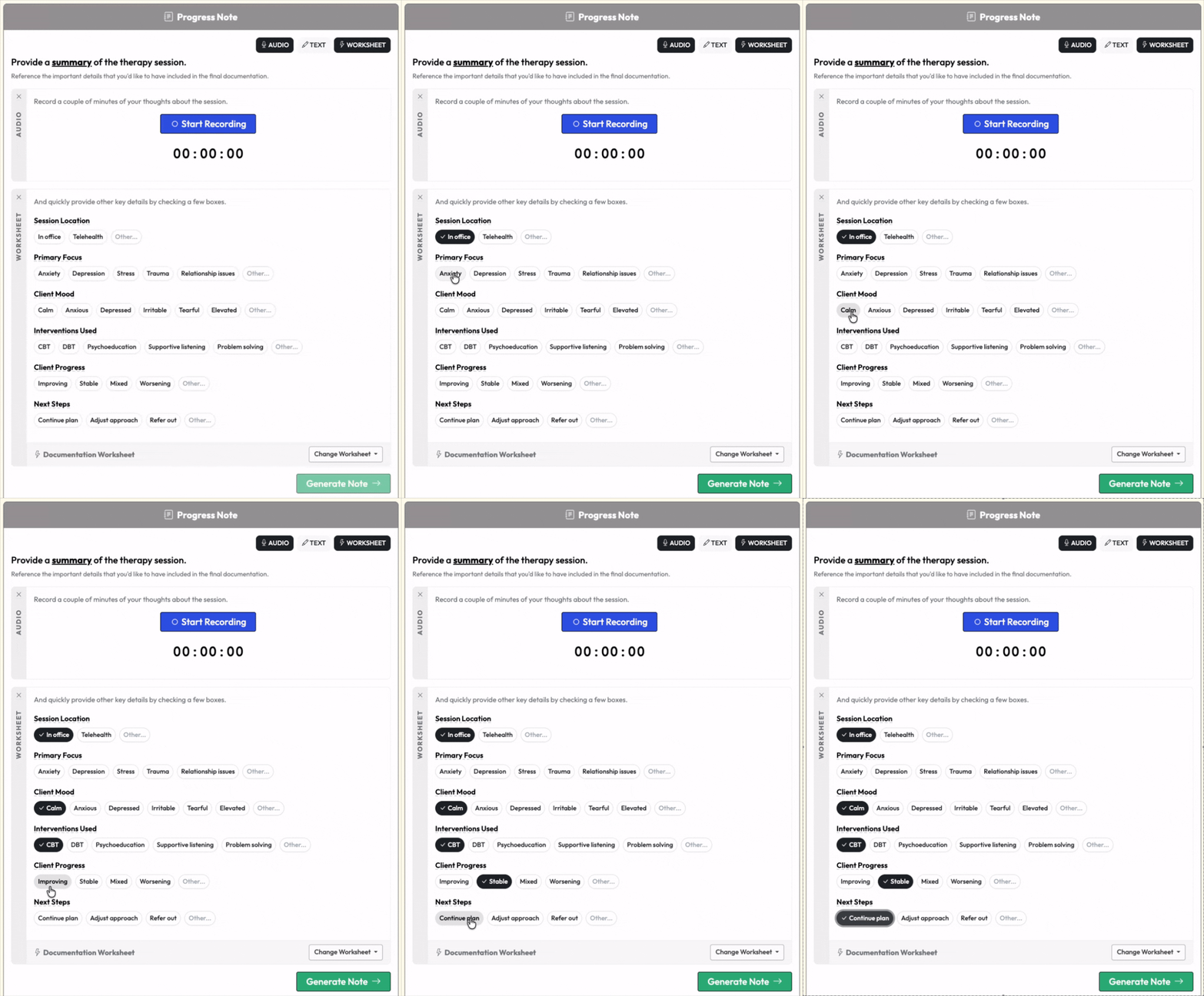
Your worksheet responses help augment the more specific details you provide in your audio or written summary. Basically, knock out the repetitive stuff with the worksheet, then focus your summary on the more unique and client-specific elements of the session.
And the whole thing is customizable.
- Create worksheets that fit your style of documentation.
- Create different worksheets for different scenarios.
- Create detailed worksheets for intakes, treatment plans, assessments, or whatever other documentation you write.
And yes -- this works with custom documentation templates too!
We had a few hundred therapists test this out over the past few months, and we're grateful to them for their super helpful feedback!
And now, as of last week, Documentation Worksheets are available to everyone at Quill!
(And honestly, our favorite part about a new feature is when we quietly roll it out with zero announcement or fanfare, and then we get emails from folks who are like “I JUST NOTICED THE NEW WORKSHEET FEATURE AND I LOVE IT!” It’s a really great feeling.)
And you know what still wasn't needed?
Recording and transcribing the therapy session…
So go ahead and give this new feature a try today!
- Next time you go to generate a note or other documentation, notice that there are now three input modes: Audio, Text, and Worksheet.
- Click on "Worksheet".
- Use that starter worksheet, or better yet, click "customize" and add and tweak questions and answer choices to make it your own!
And if you have questions or ideas to make this even better, just let us know!
